In JustFlag.it everything starts with a collection: the list of things you need to keep under control. Company vehicles, employees, suppliers, equipment, contracts: each is a collection, and every item in it is a record with its own deadlines.
In this guide we create a "Company vehicles" collection and fill it with the first vehicles. It takes about ten minutes. The screenshots come from our demo account, so the sample data is in Italian.
1. Choose: from a template or from scratch
From the Collections menu press Create collection. There are two ways:
- Create from template: start from a ready-made collection with the columns and documents typical of a sector. This is the quickest way.
- Create from scratch: build the collection field by field when you have specific needs.
In the Template Gallery you can search by name or filter by sector. Select one or more templates, for example the vehicles and employees ones, and press Confirm creation: the collections are created in one go.
2. Define the structure: name and columns
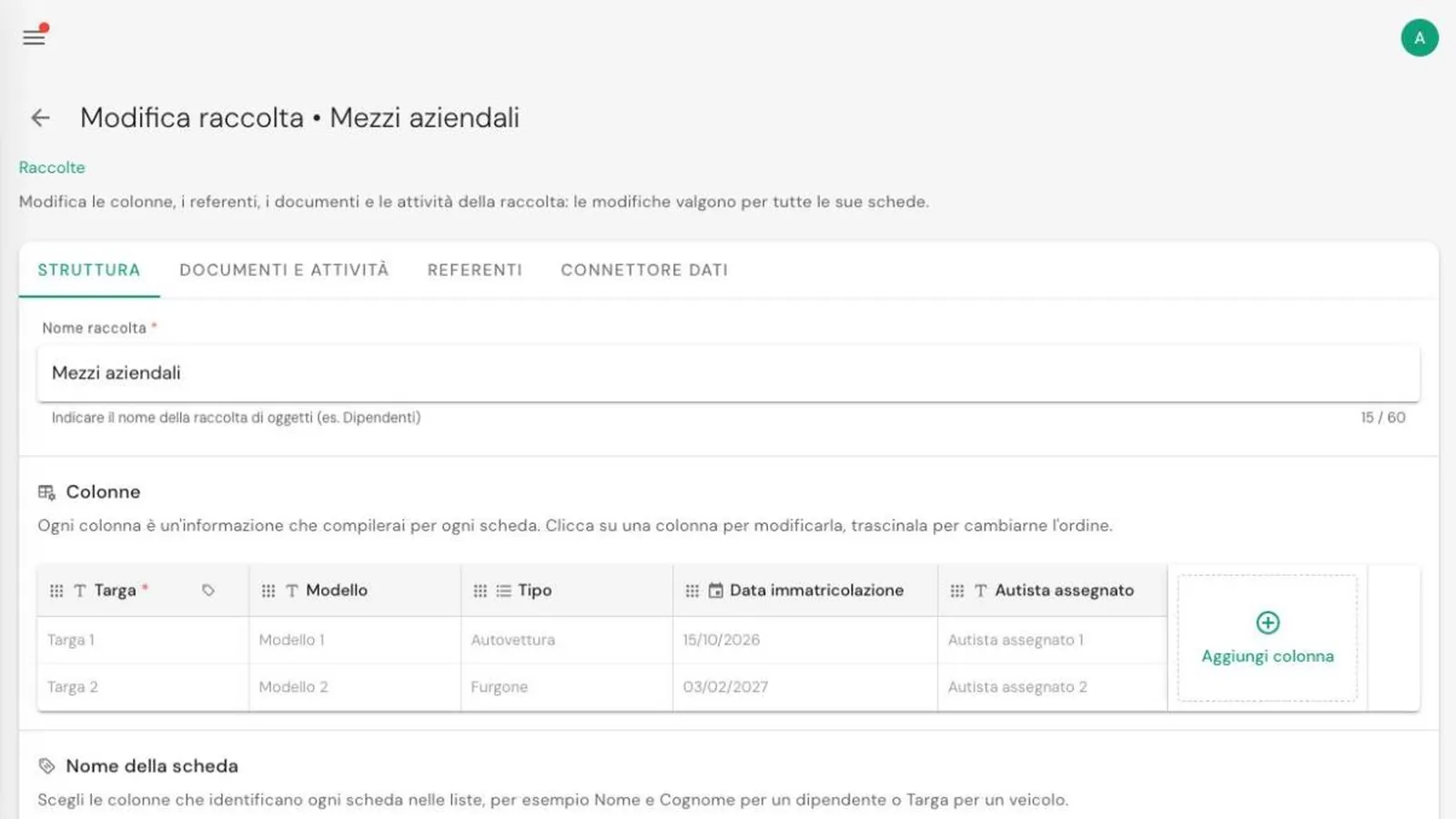
In the Structure tab choose the collection name and its columns: the information you fill in for each item. For a vehicle fleet, for example:
- Registration number, text and mandatory;
- Model, text;
- Type, a choice between car, van and lorry;
- Registration date, a date;
- Assigned driver, text.
Columns can be reordered by dragging them. Below, in Entity name, choose which columns identify each item in lists: the registration number is enough for vehicles, first and last name for employees.
3. Add documents and activities
In the Documents and Activities tab list the deadlines to track for each record. They can be:
- documents to renew, such as the vehicle inspection, insurance or a medical check;
- activities to repeat, such as servicing or a tyre change.
For each one decide whether it is mandatory for every record or only for some, like the tachograph check, which only lorries need.
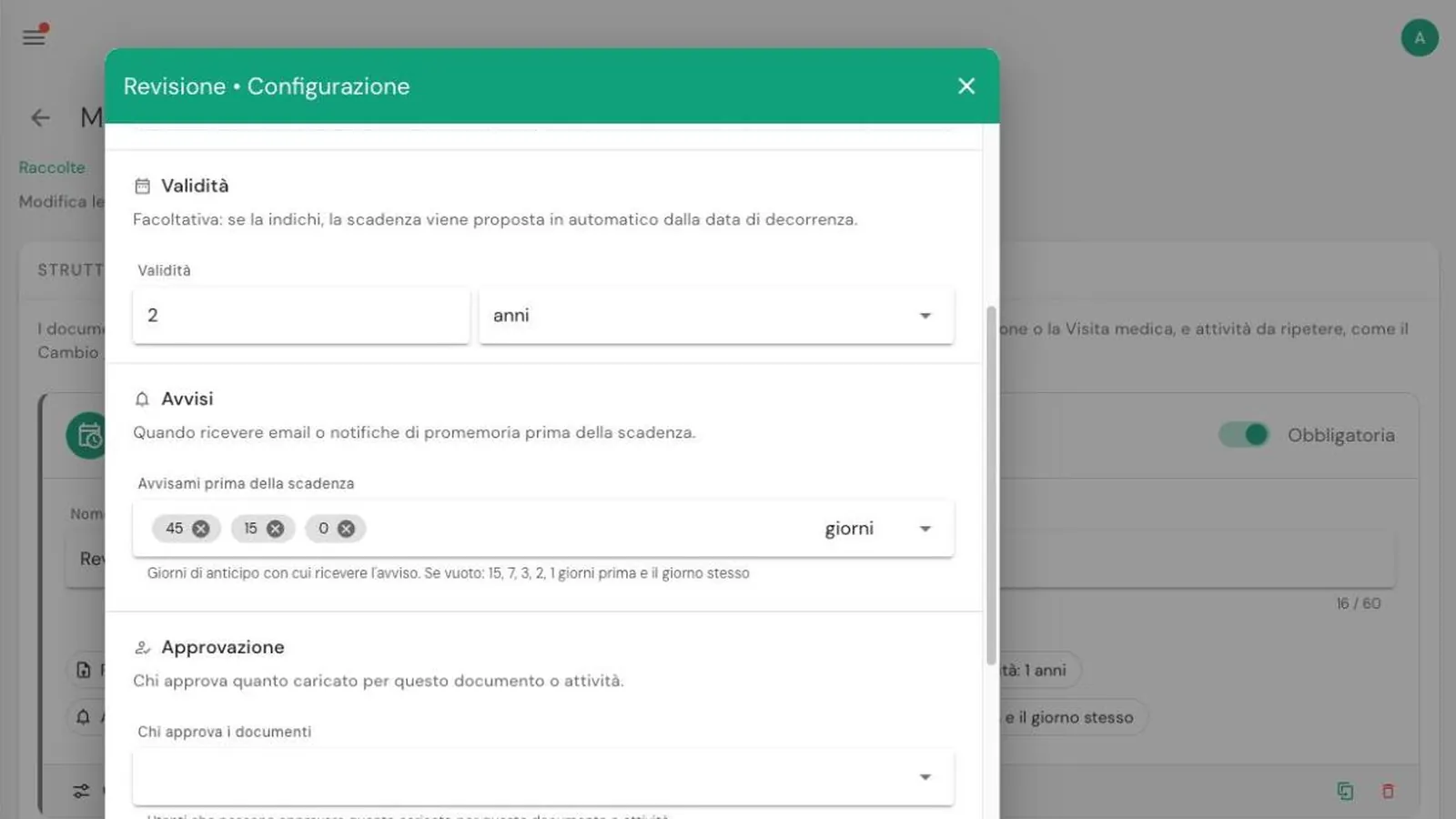
With Configure you set the details:
- whether a file must be uploaded and, if needed, a form to fill in;
- the validity, for example 2 years for the inspection: the next deadline is suggested automatically;
- the notices, that is how many days in advance you want to be reminded;
- who must approve documents uploaded by others.
We cover notices in detail in the guide to notices and referents.
4. Add your first records
Once saved, the collection appears in the left-hand menu. Press Create entity, fill in the columns and enter the current expiry date of each document. From then on JustFlag.it works out the status of every record:
- green if everything is in order;
- orange if a deadline is coming up;
- red if something has expired or is missing.
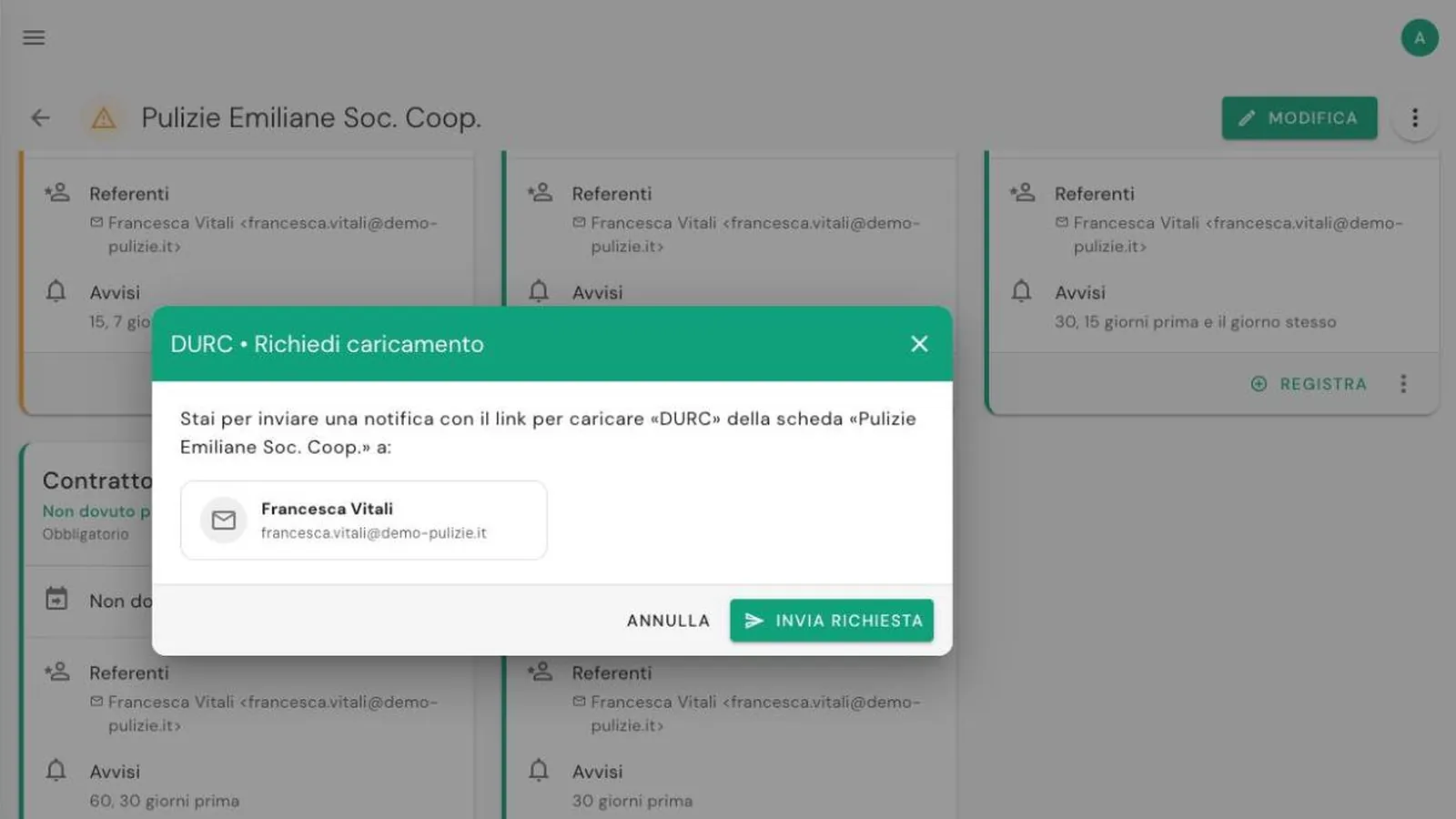
Opening a record shows all its deadlines. When you renew a document press Record, enter the new dates and attach the file.
In short
- Collections → Create collection, from a template or from scratch.
- In Structure choose the columns and the record name.
- In Documents and Activities add the deadlines, with validity and notices.
- Create the records and enter the current deadlines: the status is worked out for you.
The next step is deciding who gets the notices: see the guide to notices and referents.
Frequently asked questions
What is the difference between a collection and a record?
A collection is the list, for example Company vehicles or Employees, and defines its columns, documents and notices. A record is a single item in the list, such as a van or a person, with its own deadlines.
Can I change a collection after creating it?
Yes. You can add columns, documents and referents at any time: changes apply to every record in the collection.
How many collections can I create?
It depends on your plan. The pricing page lists the collection and record limits of each plan.